ChatFlow CRM – AI Multi-Provider Edition
Professional CRM system embedded directly into WhatsApp Web with AI-powered insights.
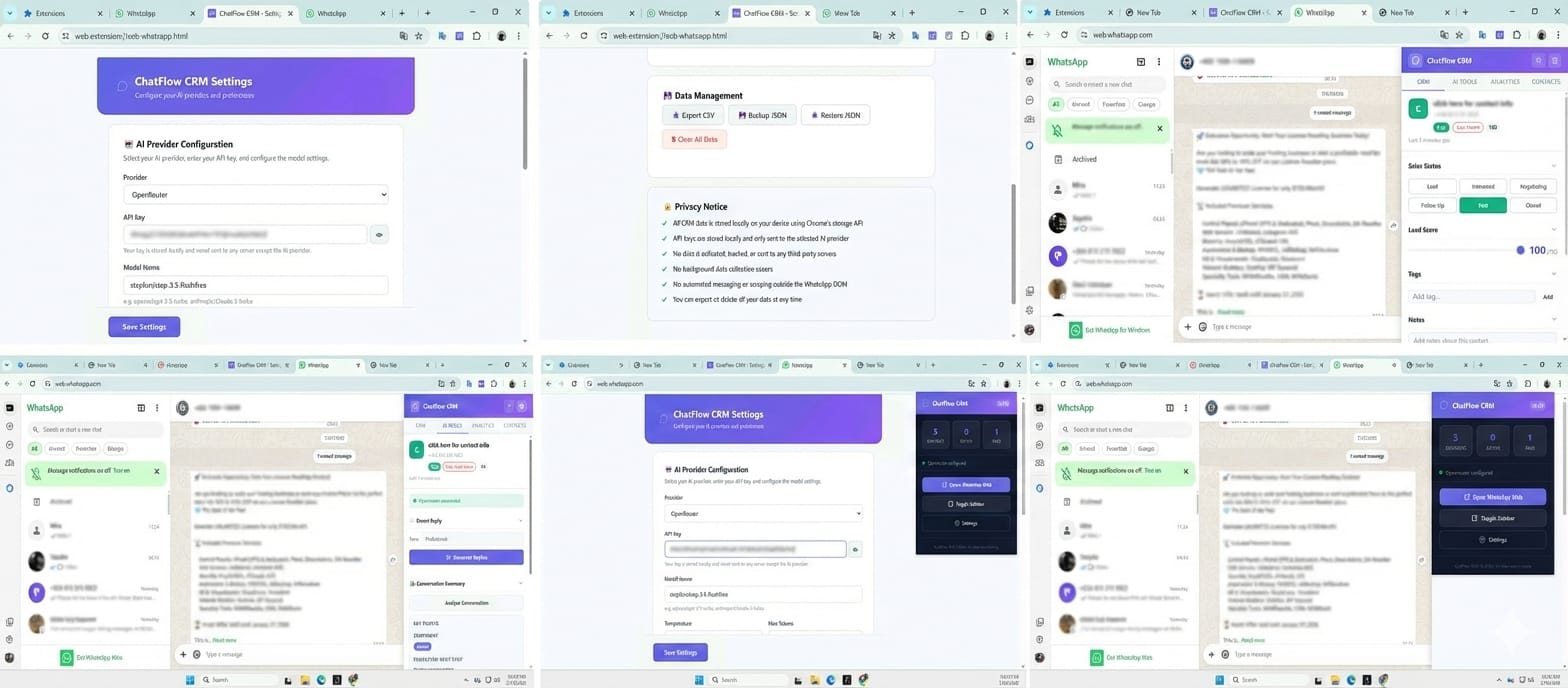
What is ChatFlow CRM?
ChatFlow CRM is a powerful browser extension that adds a professional CRM panel directly inside WhatsApp Web. Manage leads, track sales pipelines, generate AI-powered replies, and analyze conversations — all without leaving WhatsApp.
Key Features
📋 Contact Management
Notes, tags, statuses, reminders, custom fields, and lead scores for every WhatsApp contact.
🤖 AI-Powered Insights
Smart replies, conversation summaries, intent detection, and auto lead scoring using your own AI API key.
📊 Analytics Dashboard
Total leads, active deals, conversion rates, pipeline visualization, and high-intent contact tracking.
🔒 Privacy First
All data stored locally. No servers, no tracking, no subscriptions. You own your data completely.
🎨 Beautiful UI
Modern SaaS-style design with light and dark modes, smooth animations, and responsive layout.
🔌 Multi-Provider AI
Bring your own API key. Supports OpenAI, OpenRouter, and Google Gemini.
Supported Browsers
| Browser | Status | Notes |
|---|---|---|
| Google Chrome | ✅ Fully Supported | Primary target |
| Microsoft Edge | ✅ Fully Supported | Chromium-based |
| Brave | ✅ Fully Supported | Chromium-based |
| Opera | ✅ Fully Supported | Chromium-based |
Quick Start
Install the Extension
Load the extension as an unpacked extension in Chrome Developer Mode. See Installation Guide.
Configure AI (Optional)
Set up your AI provider in the extension settings. See AI Setup Guide.
Open WhatsApp Web
Navigate to web.whatsapp.com. The CRM panel appears automatically on the right side.
Start Managing Contacts
Click on any WhatsApp contact. The CRM panel will show their details or create a new CRM entry automatically.
Data Model
Each contact stores the following fields:
| Field | Type | Description |
|---|---|---|
| Contact Name | String | Auto-detected from WhatsApp |
| Phone Number | String | Auto-detected when available |
| Sales Status | Enum | Lead, Interested, Negotiating, Follow-Up, Paid, Closed |
| Tags | Array | Custom labels |
| Notes | Text | Free-form notes |
| Reminder Date | Date | Follow-up reminder |
| Lead Score | 0-100 | Manual or AI-calculated |
| Intent Level | Enum | High, Medium, Low |
| Custom Fields | Object | User-defined key-value pairs |
| AI Insights | Object | Summary, intent, score data |